Less imagining.
More seeing.
A finished handover. A reading style that works for you. A clear decision before action. See the details that make Harmony your workspace.
Guided recordings use fictional data and scripted model responses. Handover and reading clips show current product paths; the plan and collaboration clips are clearly labeled previews of work in progress.
A handover ready for the team.
See Harmony think, turn the incident history into a finished handover, and copy the Markdown for the next shift.
Fictional incident history supplied in the conversation. Scripted model response with a deliberate pause; real thinking animation, formatting, copy, and export. No live endpoint investigation.
Read the walkthrough
- Ask Harmony to prepare a team handover from the saved incident history.
- Watch the thinking animation while the response is prepared.
- Review the current impact, incident timeline, assessment, and team decision.
- Copy the finished handover as Markdown or export the conversation.
Read it your way.
Emphasize the leading letters of words, with controls for how much text stands out. Called Reading emphasis in the app.
The actual display setting, shown on a fictional handover. An optional reading preference; the underlying words stay the same.
Read the walkthrough
- Watch Harmony prepare the handover with the live activity shimmer.
- Start with the handover in standard text.
- Open Display settings and enable Reading emphasis.
- Return to the same handover and see the leading letters emphasized.
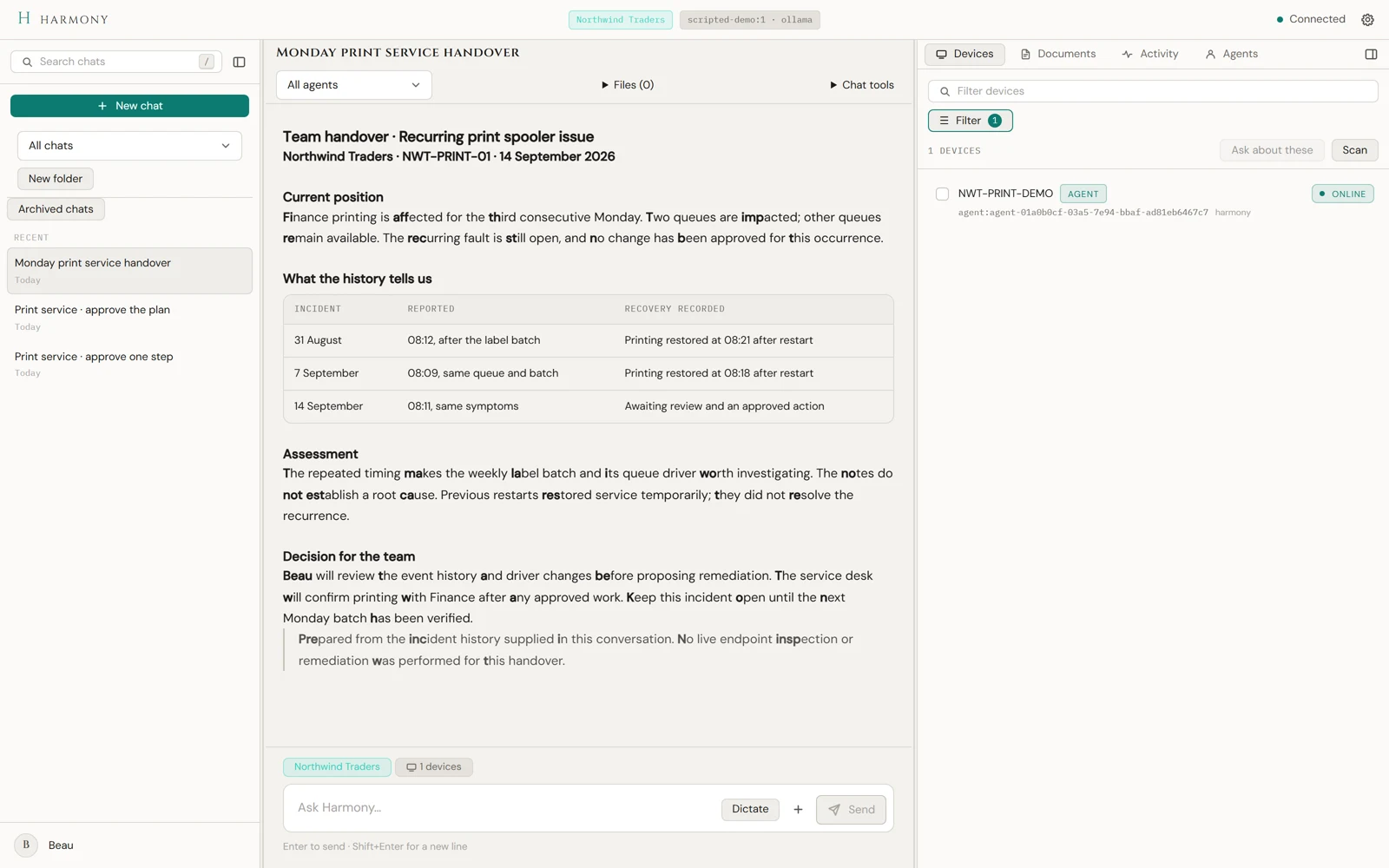
Try the comparison. These are captures of the same handover in Harmony.
One step or the whole plan.
Review the proposed commands. Approve one step, or use Approve and Run All to run the plan in order.
Workflow preview. The approval records and dispatch path are real; an isolated test device returns simulated results. No production commands run, and this is not a live repair demonstration.
Read the walkthrough
- Review the findings and proposed commands.
- Approve a single service-status check and see its stored result.
- In a second example, approve the full plan.
- See the command results retained with the approval.
Join the conversation in progress.
Harmony asks Beau a question. Watch Beau type, add your own suggestion while Harmony thinks, and see the conversation continue.
Collaboration preview using two real user sessions and scripted model replies. Beau and Sam are demonstration participants; customer data is fictional. This demonstrates the recorded flow, not full group-chat readiness.
Read the walkthrough
- Join a conversation between Beau and Harmony.
- See Beau is typing, then his reply about the affected queues.
- Add a suggestion about a driver update while Harmony is working.
- Harmony acknowledges the suggestion and asks Beau for the change record.
One decision at a time.
Watch Harmony think, ask to save incident context, then request separate approval for an investigation check.
Fictional incident and scripted replies with deliberate thinking pauses. Two independent approval decisions in an isolated demo tenant. The investigation capability is configured to Ask. The note is declined; Jordan approves Get-Service Spooler. The real dispatch and stored result use an isolated test device with clearly labeled simulated output; no live endpoint command runs.
Read the walkthrough
- Describe the recurring print interruption and watch Harmony prepare its proposal.
- Review the exact note and decline saving it.
- Request an investigation and watch Harmony prepare the service-status check.
- Approve Get-Service Spooler and review its labeled simulated result. Both decisions remain in the conversation.
Why the gate matters.
A clear decision point is part of the architecture. Explore how the parent, permission model, and agents work together.
Explore the architectureLet’s put your time
back where it belongs.
Join the early access list for Harmony AIO.